Sponsored

Help! Power out and PowerShare won’t initiate feed to house from Cybertruck

CYBROSKI

Member
First Name
Chris
Joined
May 4, 2024
Threads
1
Messages
13
Reaction score
15
Location
USA
Vehicles
Cybertruck Dual Motor Foundation Series, X, Y
Occupation
Pilot
Country flag
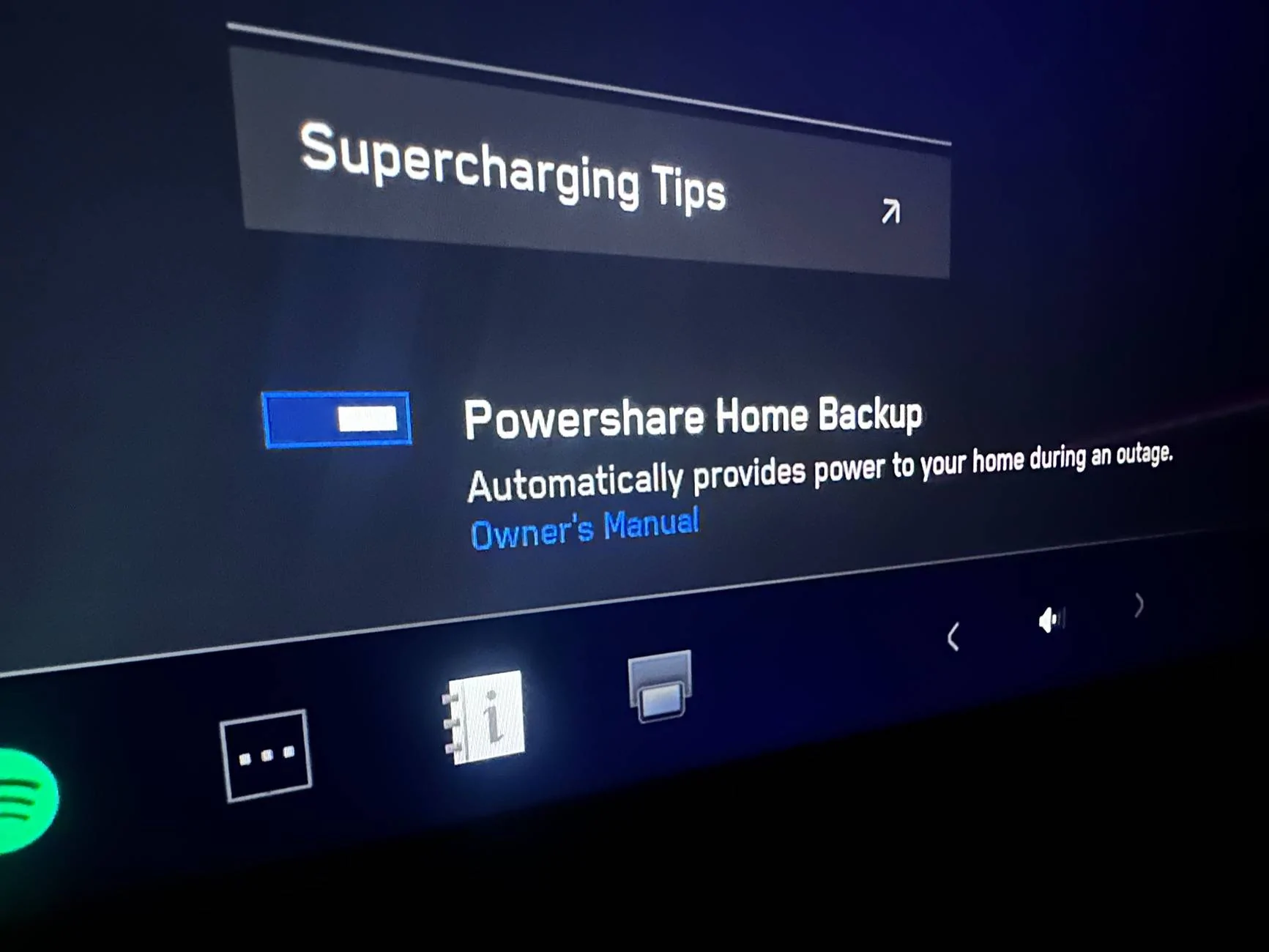
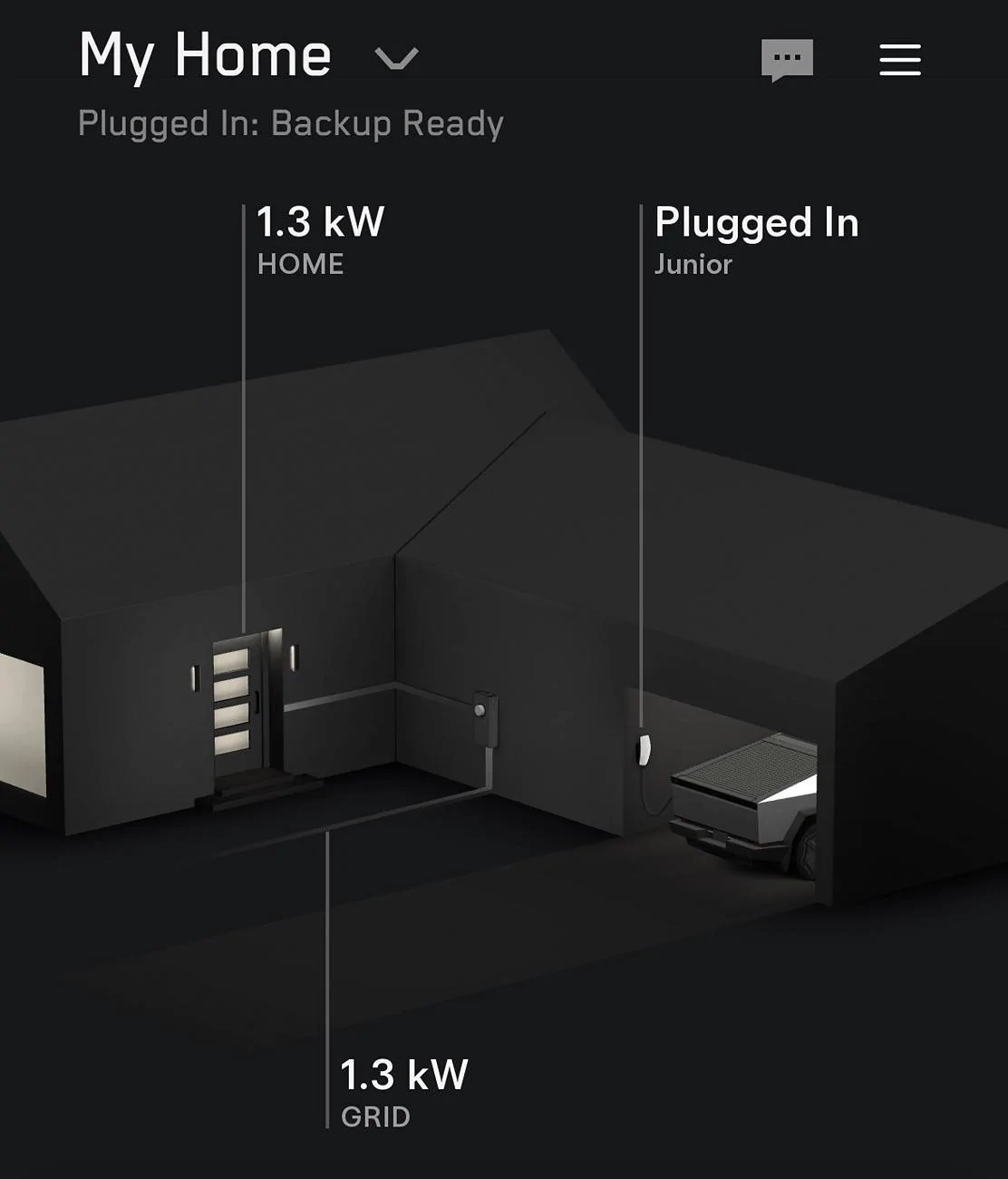
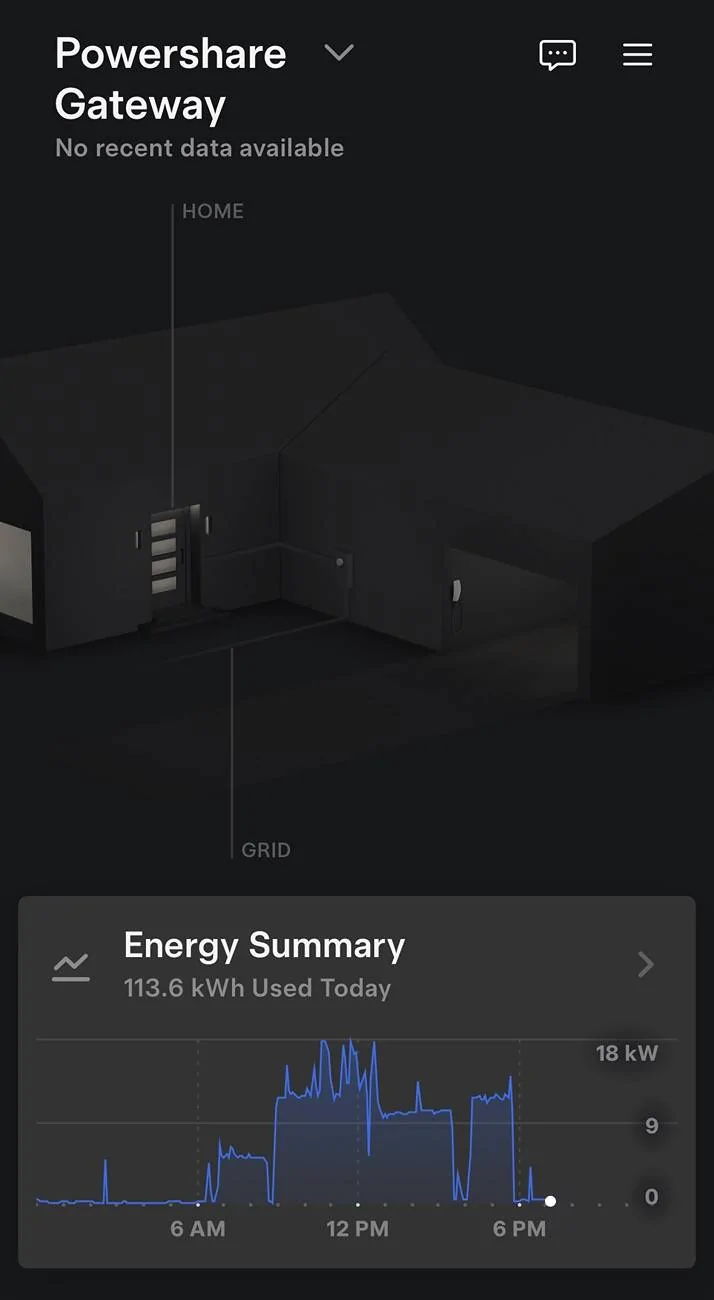
Looking for some help from the Tesla Community regarding Cybertruck PowerShare. Currently power is out and I plugged in my Cybertruck with a tested and functional PowerShare system. No power is being provided to the house and I’m just getting the “Unable to Charge-Charge Station Not Powered” alert. Any ideas? Pretty disappointed. Went through lots of $ and hassle to get the system installed and now it does nothing and no Tesla support can help. No help from Charging or Powerwall Customer service (closed) or Roadside assistance.

Tesla Cybertruck Help! Power out and PowerShare won’t initiate feed to house from Cybertruck IMG_5349


Tesla Cybertruck Help! Power out and PowerShare won’t initiate feed to house from Cybertruck IMG_5350
Sponsored


Guylouis

Well-known member
First Name
Guy
Joined
Dec 18, 2023
Threads
14
Messages
678
Reaction score
1,065
Location
San Diego
Vehicles
F.S. CyberBeast, XP, YP, 3P
Country flag
Double scroll wheel reset


Hold both scroll buttons on your steering wheel until the screen resets
 
OP
OP

CYBROSKI

Member
First Name
Chris
Joined
May 4, 2024
Threads
1
Messages
13
Reaction score
15
Location
USA
Vehicles
Cybertruck Dual Motor Foundation Series, X, Y
Occupation
Pilot
Country flag
Hi, I tried that as a first action and no change to the situation. I appreciate the reply. Cheers!
 
OP
OP

CYBROSKI

Member
First Name
Chris
Joined
May 4, 2024
Threads
1
Messages
13
Reaction score
15
Location
USA
Vehicles
Cybertruck Dual Motor Foundation Series, X, Y
Occupation
Pilot
Country flag
I’m thinking that it may be due to a cold battery, which is cited as a reason in the owners manual that the PowerShare may stop. Initiated a Precondition scheduled for 10 minutes from now to try and get the battery to heat up. The UI isn’t helpful as it doesn’t tell you that this could be preventing PowerShare from working. It should know that there is no utility power and the Cybertruck is plugged into the wall connector/Powershare system with the PowerShare button enabled.


OP
OP

CYBROSKI

Member
First Name
Chris
Joined
May 4, 2024
Threads
1
Messages
13
Reaction score
15
Location
USA
Vehicles
Cybertruck Dual Motor Foundation Series, X, Y
Occupation
Pilot
Country flag
OP
OP

CYBROSKI

Member
First Name
Chris
Joined
May 4, 2024
Threads
1
Messages
13
Reaction score
15
Location
USA
Vehicles
Cybertruck Dual Motor Foundation Series, X, Y
Occupation
Pilot
Country flag
I don’t have a UPS so no internets right now for the PowerShare system.
 
OP
OP

CYBROSKI

Member
First Name
Chris
Joined
May 4, 2024
Threads
1
Messages
13
Reaction score
15
Location
USA
Vehicles
Cybertruck Dual Motor Foundation Series, X, Y
Occupation
Pilot
Country flag
I think you and I have different definitions of the word “cold” ?
Haha, I just have the snowflake icon. Definitely not actually that cold.
 

CyberGus

Well-known member
First Name
Gus
Joined
May 22, 2021
Threads
91
Messages
10,314
Reaction score
34,186
Location
Austin, TX
Vehicles
1981 DeLorean, 2024 Cybertruck
Occupation
IT Specialist
Country flag
Yeah, “no data” means it’s not network-connected, unsurprising in a power outage.

Even with PowerShare, I have UPSes on things like my internet devices that take several minutes to restart.

The WiFi should not be necessary for PowerShare to activate. Maybe you could try flipping the UWC breaker off/on but IDK if that’s any different from unplugging the truck.


CyberGus

Well-known member
First Name
Gus
Joined
May 22, 2021
Threads
91
Messages
10,314
Reaction score
34,186
Location
Austin, TX
Vehicles
1981 DeLorean, 2024 Cybertruck
Occupation
IT Specialist
Country flag
You could always try a vehicle reboot:


  1. Shift into Park.
  2. On the touchscreen, touch Controls > Safety > Power Off.
  3. Wait for at least two minutes without interacting with the vehicle. Do not open the doors, touch the brake pedal, touch the touchscreen, etc.
  4. After two minutes, press the brake pedal or open the door to wake the vehicle

https://service.tesla.com/docs/Publ...UID-76C3CAB5-8F3F-4F0A-93F4-966DB3E67FEA.html
 

RN1127

Active member
Joined
Mar 25, 2024
Threads
0
Messages
36
Reaction score
55
Location
WA
Vehicles
FS AWD
Country flag
Happened to me as well, went disable power share and re-enable from car screen solved the problem for me. You can give it a try
 
  • Like
Reactions: REM
OP
OP

CYBROSKI

Member
First Name
Chris
Joined
May 4, 2024
Threads
1
Messages
13
Reaction score
15
Location
USA
Vehicles
Cybertruck Dual Motor Foundation Series, X, Y
Occupation
Pilot
Country flag
Did you also have the “Unable to Charge-Charge Station Not Powered” alert? I’ve tried to turn the PowerShare on and off a bunch of times. Any trick to the timing or did you just turn off and then back on once? Thank you for the reply!
 

Redfire

Well-known member
Joined
Sep 13, 2024
Threads
31
Messages
171
Reaction score
184
Location
Atlanta, ga
Vehicles
Cyber Beast
Country flag
Did you also have the “Unable to Charge-Charge Station Not Powered” alert? I’ve tried to turn the PowerShare on and off a bunch of times. Any trick to the timing or did you just turn off and then back on once? Thank you for the reply!
Possible tripped breaker in the power share panel?
 

smcnaughton829

Well-known member
First Name
Stephen
Joined
Apr 28, 2024
Threads
16
Messages
318
Reaction score
378
Location
New York
Vehicles
Model 3, Model X plaid, S, CB
Occupation
Pilot
Country flag
Looking for some help from the Tesla Community regarding Cybertruck PowerShare. Currently power is out and I plugged in my Cybertruck with a tested and functional PowerShare system. No power is being provided to the house and I’m just getting the “Unable to Charge-Charge Station Not Powered” alert. Any ideas? Pretty disappointed. Went through lots of $ and hassle to get the system installed and now it does nothing and no Tesla support can help. No help from Charging or Powerwall Customer service (closed) or Roadside assistance.
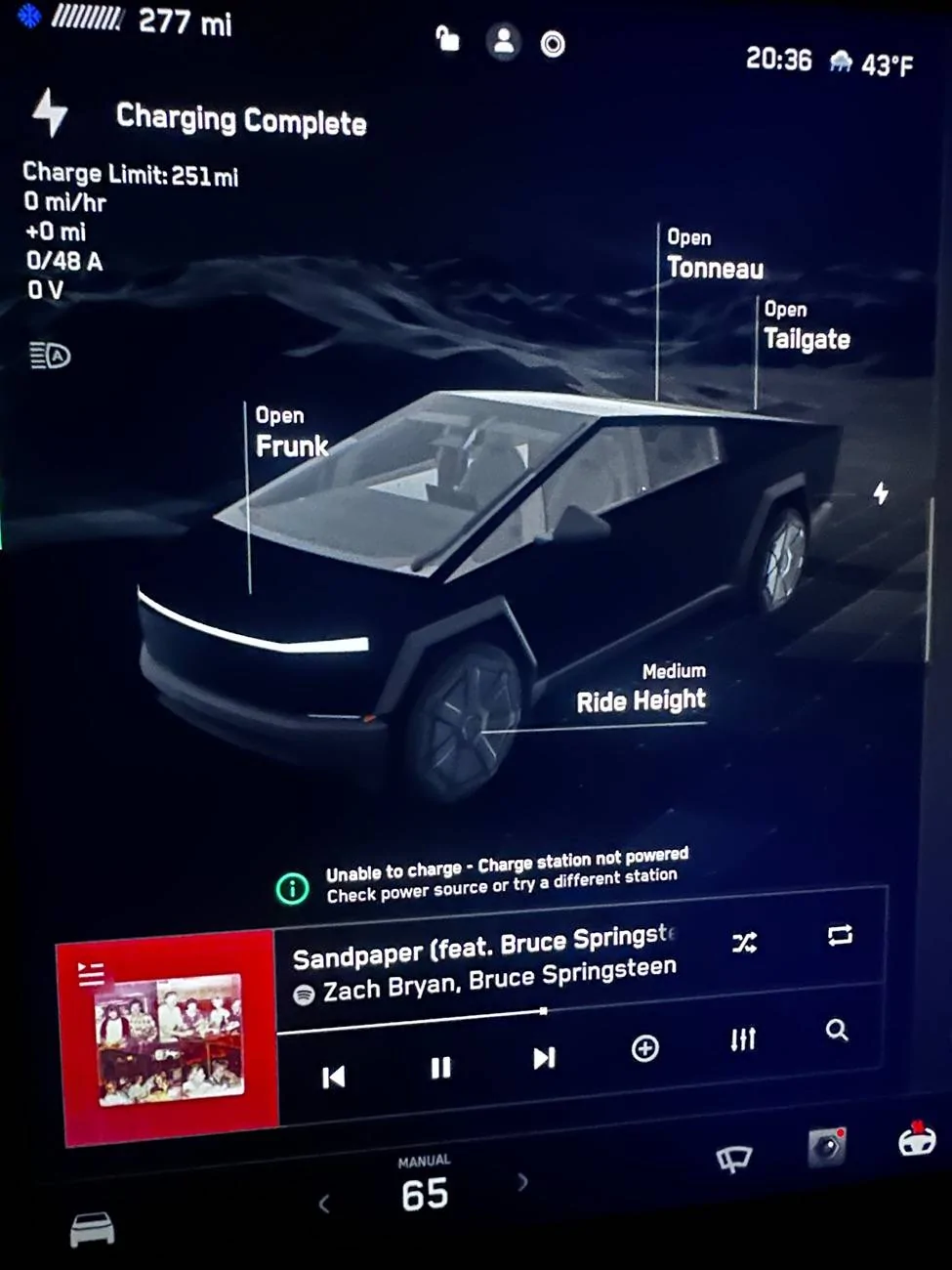
IMG_5349.webp


IMG_5350.webp
I don’t have the PowerShare like you have on my MCU. I got my gateway installed last week. How long before I get the update to make everything work?
Sponsored


Top