Sponsored

Its4kito

Guest
Cheap and cheerful solution.

WOLFBOX 12" 4K Rear View Mirror... https://www.amazon.com/dp/B0B1LLMCS9?ref=ppx_pop_mob_ap_share

I used the online service manual to work out how to remove the interior trim panels, the window seals and rear wheel arch liner. In summary, you don’t need any tools to do this at all. Everything just pulls off. Power is ran from the front USB-C outlet in the center console through a usb-c to 12v cigarette lighter adaptor

CERRXIAN 1ft USB C Male to 12V 8W... https://www.amazon.com/dp/B0BGL8ZRCS?ref=ppx_pop_mob_ap_share

I had to get an extension cable as it didn’t quite reach with the original cable.

NOCO GC019 15A 14AWG 12V Adapter,... https://www.amazon.com/dp/B00G8WLX14?ref=ppx_pop_mob_ap_share

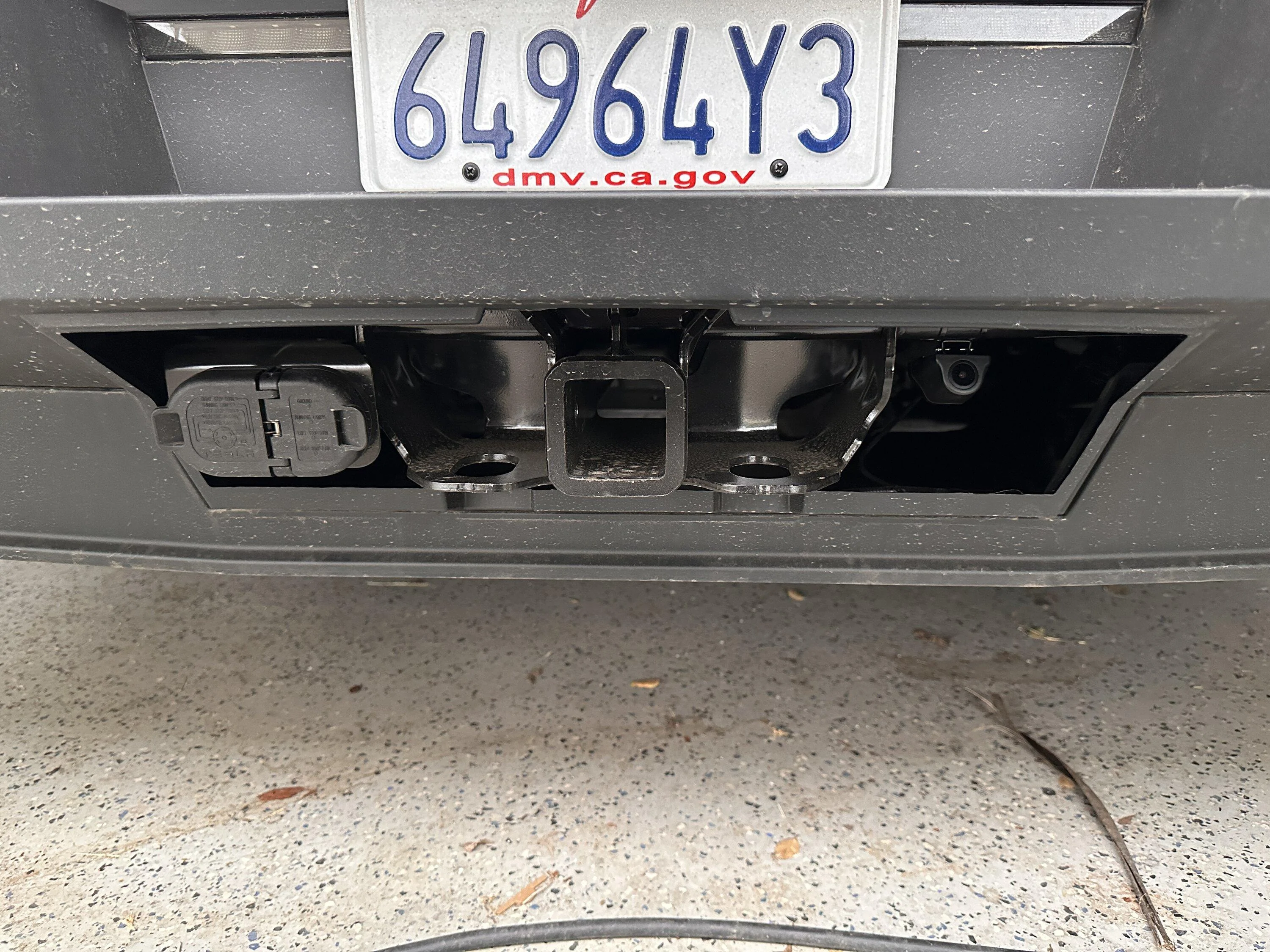
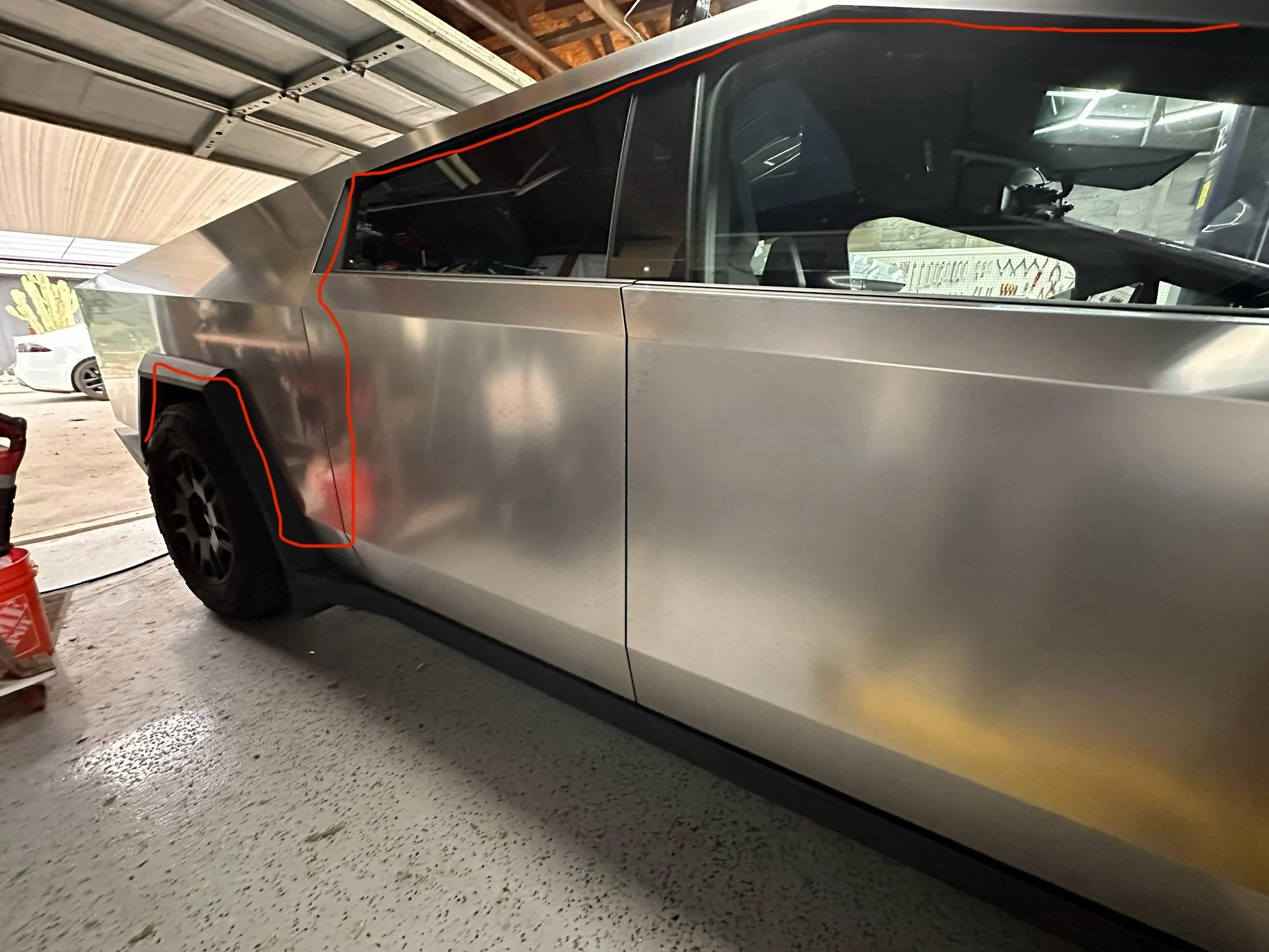
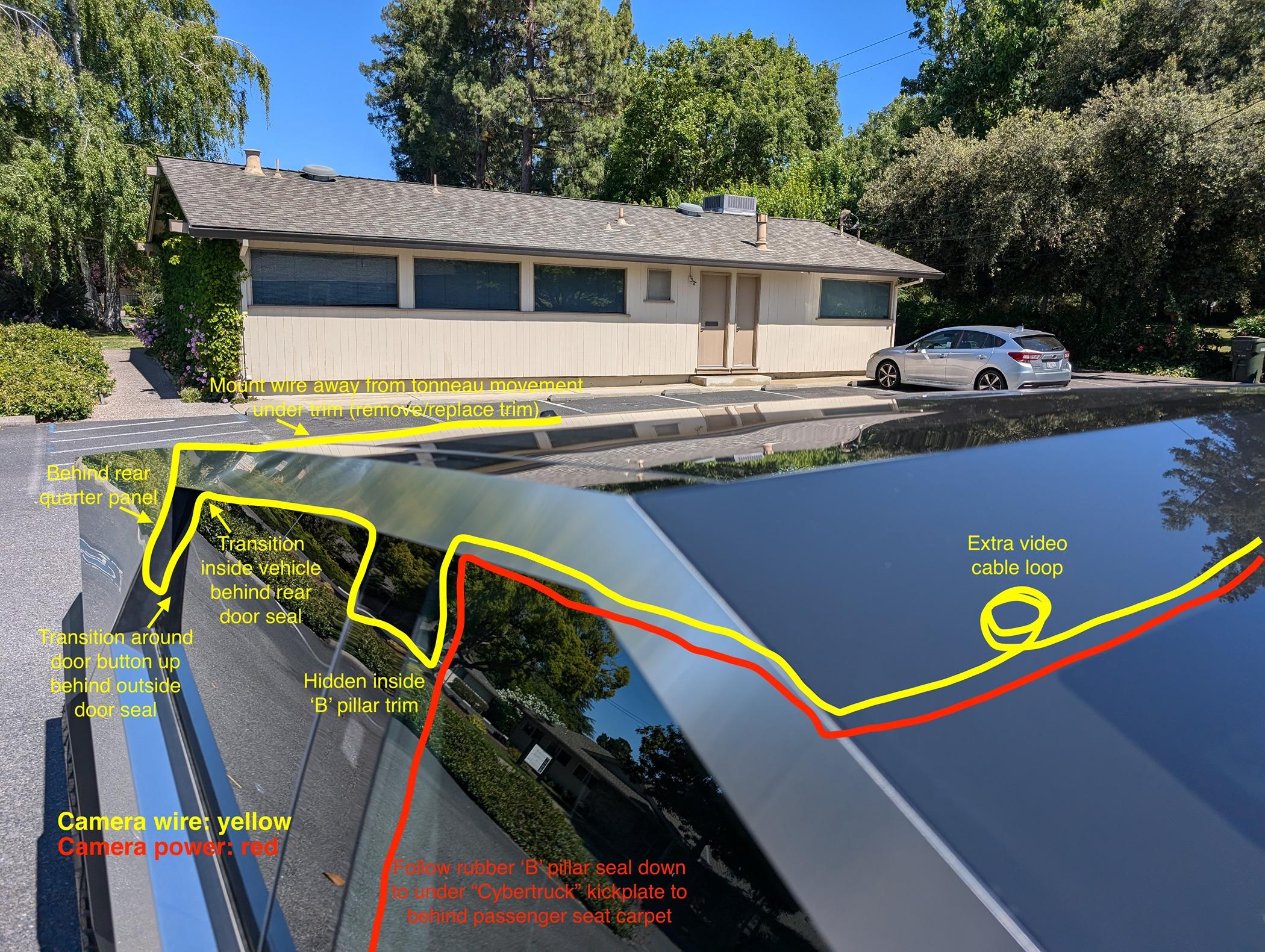
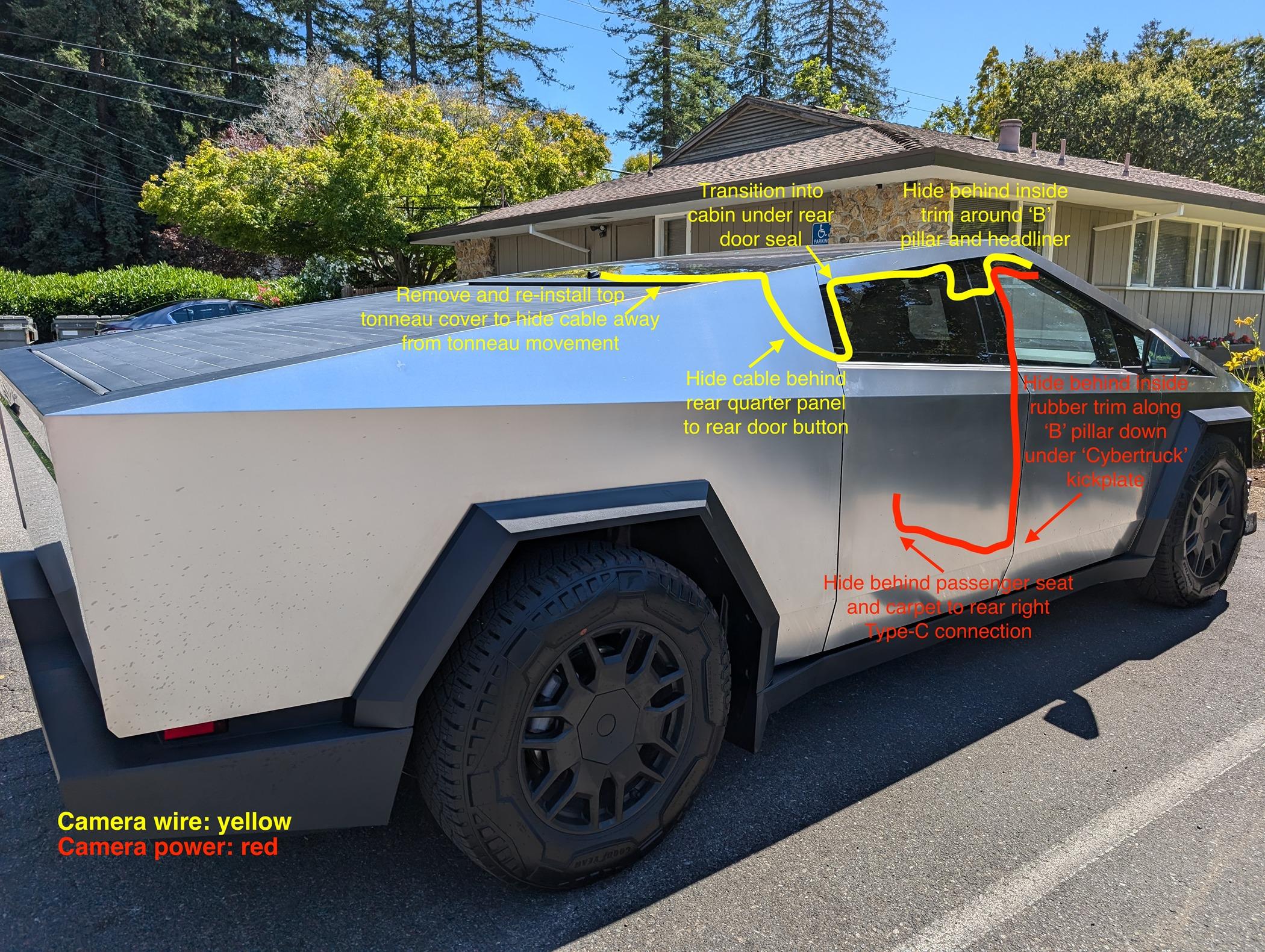
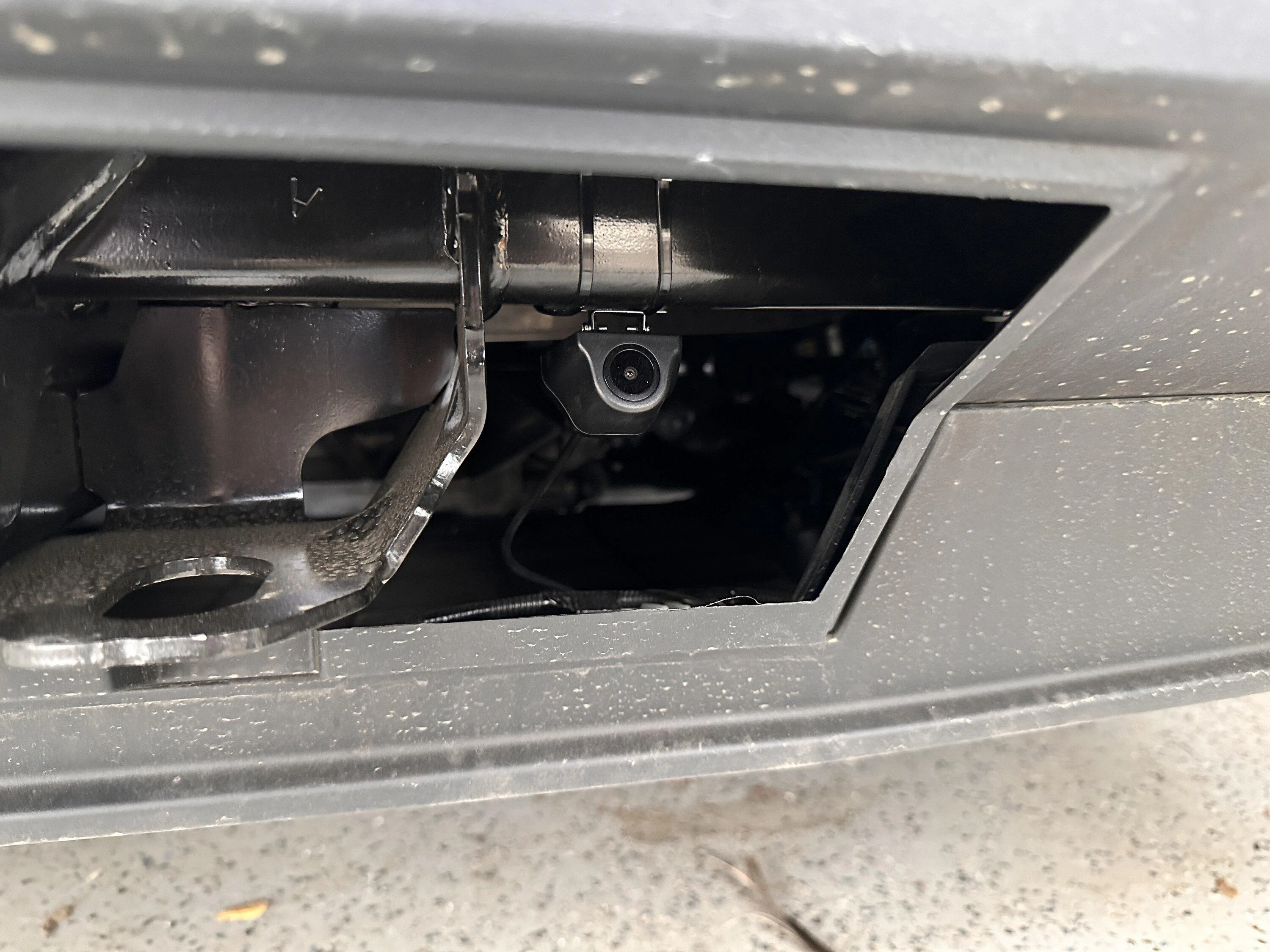
Both cables (power and rear camera) run along the headlining then down the pillar trim. The power cable keeps going down to the floor then goes under the kickplate and under the front seat to the center console. The camera cable goes along the window tops by removing the window seal, then putting it back in on top of the cable. The cable then goes down the rear of the back door, under the rear fender and round inside the wheel arch trim. At the back of the rear fender I pulled the fender liner off and routed the cable through there to the tow bar, then put the fender liner back. The camera itself is stuck then zip tied to the tow bar bracket.

Small details

The usb-c does power off when the car shuts off (usually about 20 minutes after you leave it, assuming sentry mode is off)

There is a wire on the camera loom that you are supposed to connect to the reversing lights to trigger the rear camera. You don’t need to connect this to anything. Instead you can just select the rear view on the mirror and it stays like that (even through power cycles)

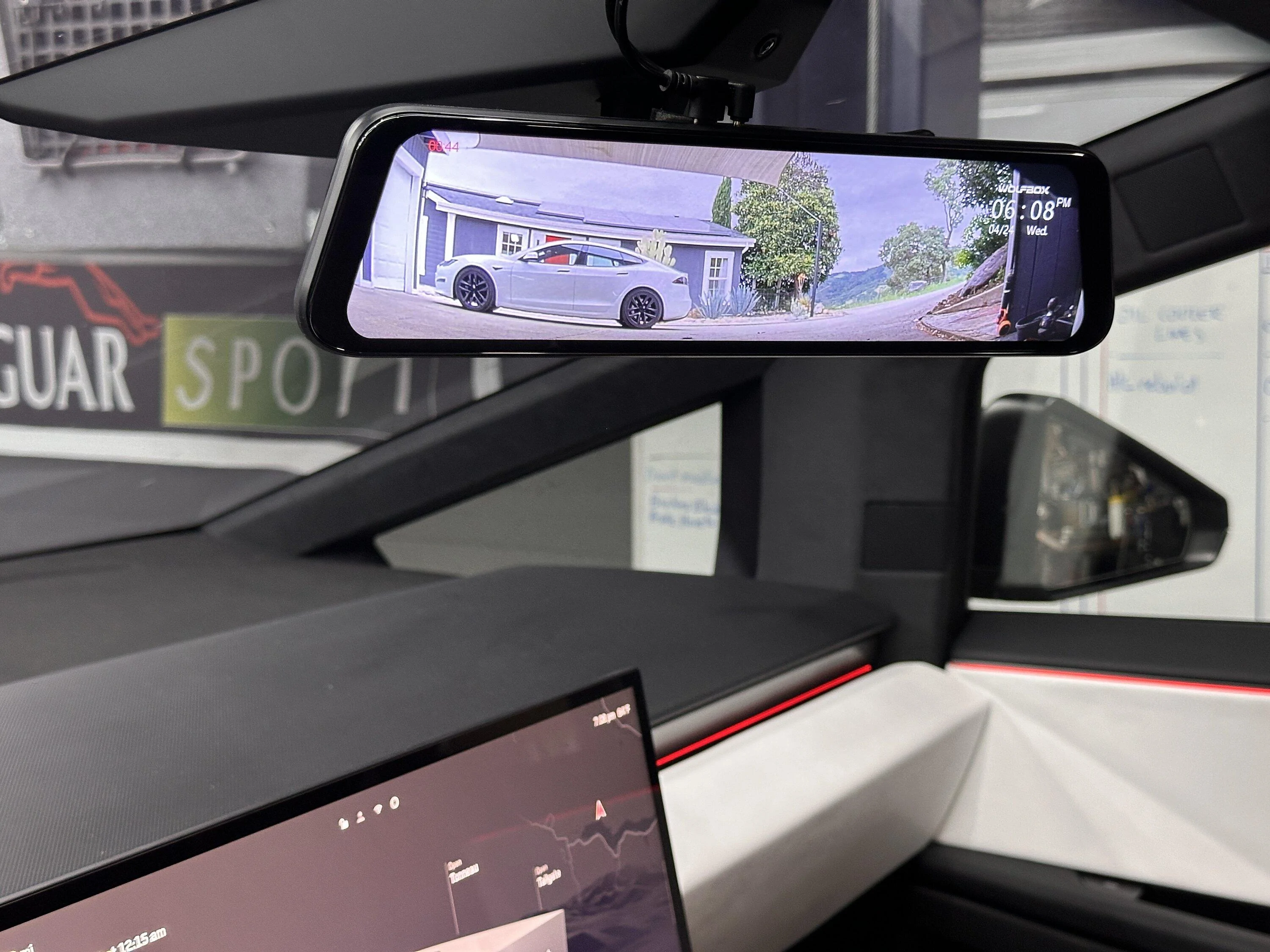
As the cybertruck mirror is really small, I needed to use a piece of foam between it and the digital mirror, otherwise the straps that are used to attach the digital mirror are too loose and the mirror rattles around.

This mirror has a gps attachment, used to give positional info to the dash cam it has built in. I didn’t connect this because I’m not interested in the dashcam feature for this application.

The front camera is 4k, the rear camera is 1080p. Image is still clear enough though.

PROs

It works.

Image is clear and field of view feels right.

Cheap (less than $250 all in).

Only took a few hours to fit.

Completely reversible if needed (I didn’t drill or cut anything, or tap into any wiring).

You still have a rear view mirror even when the tailgate is down (unlike the native camera).

No wiring visible on the outside of the truck and I didnt need to work out how to route a wire from the cab into the bed.

GOTCHAS

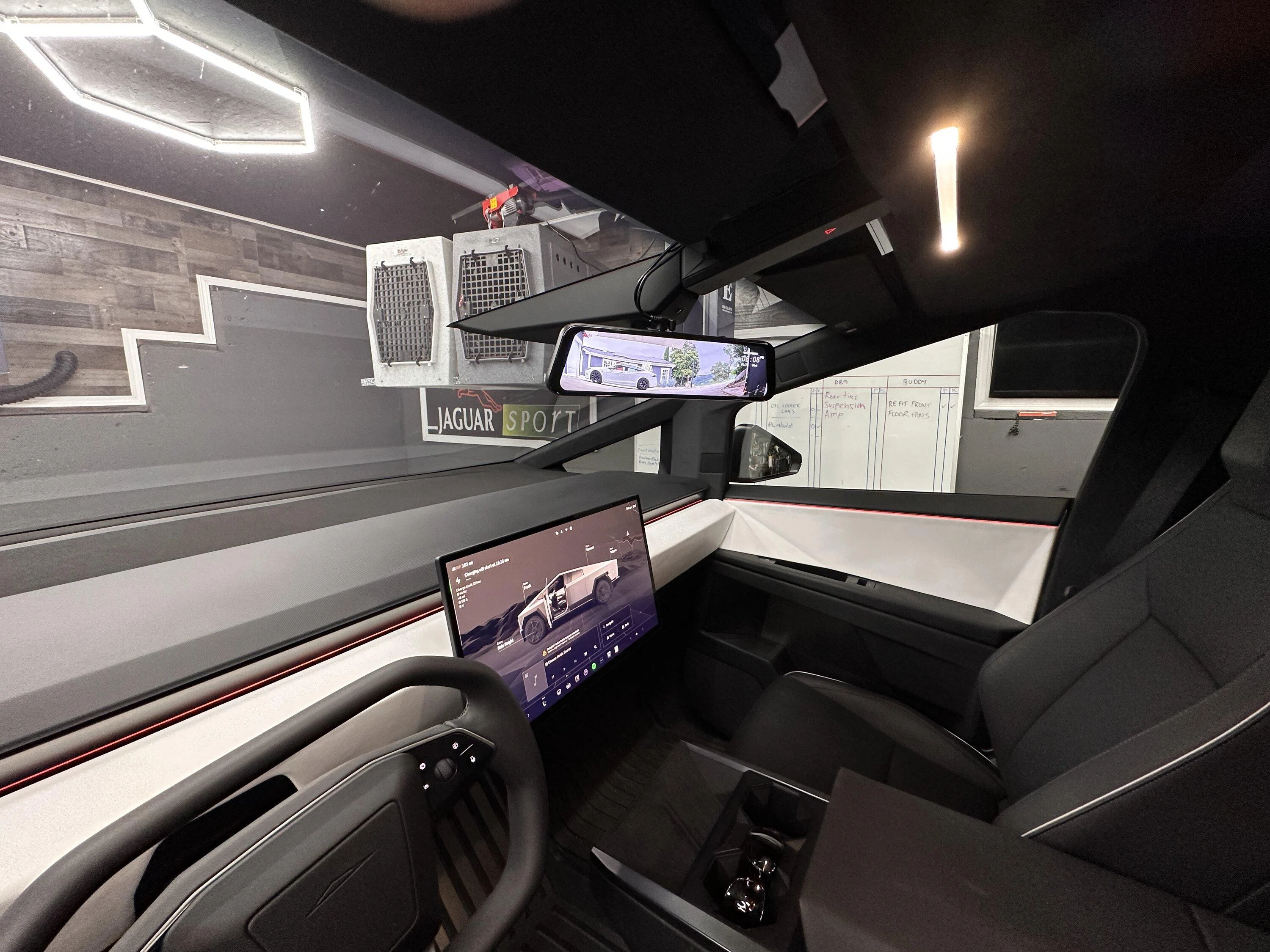
You can see wires inside the cabin at the top of the mirror for a few inches until they tuck into the headliner. I tried but failed to route the wires underneath the roof console (the thing with the hazzard button and drive selectors). I took it off but it is really packed inside there and I couldn't get the wires ran and get the roof console to clip back in.

You need to run with your tow bar cover off (We do anyway because we do tow with the truck)

It won’t work if you are towing, meaning you get an excellent view of the front of your trailer and nothing else (when towing we used the full camera view on the main touchscreen and that was fine)

I’m not sure how the camera will fare down there with regards to getting dirty. Maybe it’ll be ok because it’s kind of sheltered, maybe not. Time will tell.

The mirror shape is kind of rounded. A Cybertruck no-no ? Maybe someone will make a nice angular Cybertruck version at some point!

IMG_2795.jpeg


IMG_2796.jpeg


IMG_2797.jpeg


IMG_2798.jpeg


IMG_2799.jpeg
A wireless-Bluetooth camera would be more desirable for me when towing my camping trailer.
Sponsored


Tacorocket

Active member
First Name
Dan
Joined
Oct 8, 2021
Threads
2
Messages
25
Reaction score
29
Location
College Grove
Vehicles
Yes
Occupation
Retired
Country flag
Cheap and cheerful solution.

WOLFBOX 12" 4K Rear View Mirror... https://www.amazon.com/dp/B0B1LLMCS9?ref=ppx_pop_mob_ap_share

I used the online service manual to work out how to remove the interior trim panels, the window seals and rear wheel arch liner. In summary, you don’t need any tools to do this at all. Everything just pulls off. Power is ran from the front USB-C outlet in the center console through a usb-c to 12v cigarette lighter adaptor

CERRXIAN 1ft USB C Male to 12V 8W... https://www.amazon.com/dp/B0BGL8ZRCS?ref=ppx_pop_mob_ap_share

I had to get an extension cable as it didn’t quite reach with the original cable.

NOCO GC019 15A 14AWG 12V Adapter,... https://www.amazon.com/dp/B00G8WLX14?ref=ppx_pop_mob_ap_share

Both cables (power and rear camera) run along the headlining then down the pillar trim. The power cable keeps going down to the floor then goes under the kickplate and under the front seat to the center console. The camera cable goes along the window tops by removing the window seal, then putting it back in on top of the cable. The cable then goes down the rear of the back door, under the rear fender and round inside the wheel arch trim. At the back of the rear fender I pulled the fender liner off and routed the cable through there to the tow bar, then put the fender liner back. The camera itself is stuck then zip tied to the tow bar bracket.

Small details

The usb-c does power off when the car shuts off (usually about 20 minutes after you leave it, assuming sentry mode is off)

There is a wire on the camera loom that you are supposed to connect to the reversing lights to trigger the rear camera. You don’t need to connect this to anything. Instead you can just select the rear view on the mirror and it stays like that (even through power cycles)

As the cybertruck mirror is really small, I needed to use a piece of foam between it and the digital mirror, otherwise the straps that are used to attach the digital mirror are too loose and the mirror rattles around.

This mirror has a gps attachment, used to give positional info to the dash cam it has built in. I didn’t connect this because I’m not interested in the dashcam feature for this application.

The front camera is 4k, the rear camera is 1080p. Image is still clear enough though.

PROs

It works.

Image is clear and field of view feels right.

Cheap (less than $250 all in).

Only took a few hours to fit.

Completely reversible if needed (I didn’t drill or cut anything, or tap into any wiring).

You still have a rear view mirror even when the tailgate is down (unlike the native camera).

No wiring visible on the outside of the truck and I didnt need to work out how to route a wire from the cab into the bed.

GOTCHAS

You can see wires inside the cabin at the top of the mirror for a few inches until they tuck into the headliner. I tried but failed to route the wires underneath the roof console (the thing with the hazzard button and drive selectors). I took it off but it is really packed inside there and I couldn't get the wires ran and get the roof console to clip back in.

You need to run with your tow bar cover off (We do anyway because we do tow with the truck)

It won’t work if you are towing, meaning you get an excellent view of the front of your trailer and nothing else (when towing we used the full camera view on the main touchscreen and that was fine)

I’m not sure how the camera will fare down there with regards to getting dirty. Maybe it’ll be ok because it’s kind of sheltered, maybe not. Time will tell.

The mirror shape is kind of rounded. A Cybertruck no-no ? Maybe someone will make a nice angular Cybertruck version at some point!
IMG_2795.jpeg


IMG_2796.jpeg


IMG_2797.jpeg


IMG_2798.jpeg


IMG_2799.jpeg
 

Jhodgesatmb

Well-known member
First Name
Jack
Joined
Dec 1, 2019
Threads
89
Messages
6,492
Reaction score
9,032
Location
San Francisco Bay area
Website
www.arbor-studios.com
Vehicles
Tesla Cybertruck FS AWD, Tesla Model Y LR
Occupation
Retired AI researcher
Country flag
couldn't you mount the camera to the tow cover and replace the cover? At least for those who don't tow all the time? Maybe a quick release on the cable?

I have been research all kinds of camera systems for months now and am now looking at wifi cameras so that only power is needed, but they all require a sim card. Like you I do not care about or need any of the dashcam features since Tesla already does that, but no one makes a display-only and bluetooth camera system to my knowledge, or a wifi system that uses the Tesla data feed. Maybe someday.
 

Snòók

Member
Joined
May 16, 2020
Threads
4
Messages
22
Reaction score
40
Location
OKC
Vehicles
CT DM, Camry XSE, Sienna XSE 25th, HD LW1 & S2 DM
Occupation
HVAC Trane
Country flag
I envision a small screen up above and a simple push and hold of the rear image on the center screen then a "clone to upper screen" option.

Anyone else wish that when you signal to change lanes or at a stop that both side and rear view stay on the screen. I would to know if someone directly behind me is coming in hot to potentially avoid a situation.


sharpgator

Well-known member
First Name
Scott
Joined
Feb 23, 2024
Threads
6
Messages
311
Reaction score
345
Location
Birmingham, AL
Vehicles
26 AWD CT, M3
Country flag
Thanks for your work on this.
I’m getting to the point where I could be happy with the built in camera if Tesla would fix 2 things with a software update

1. Give ability to zoom in some
2. Brighten it up. It seems like the brightness is less than the rest of the screen
 

Jhodgesatmb

Well-known member
First Name
Jack
Joined
Dec 1, 2019
Threads
89
Messages
6,492
Reaction score
9,032
Location
San Francisco Bay area
Website
www.arbor-studios.com
Vehicles
Tesla Cybertruck FS AWD, Tesla Model Y LR
Occupation
Retired AI researcher
Country flag
Thanks for your work on this.
I’m getting to the point where I could be happy with the built in camera if Tesla would fix 2 things with a software update

1. Give ability to zoom in some
2. Brighten it up. It seems like the brightness is less than the rest of the screen
Tesla is clearly showing us 4 of the images (Left, Right, Front, and Rear) so if there was an API for the video feed from these cameras then with an Android or iOS mirror device supporting 3+ channels we would be all set, but I have not seen or heard of Tesla providing that API.
 

Cybertruck2024

Well-known member
Joined
Jan 4, 2024
Threads
11
Messages
765
Reaction score
1,240
Location
Buffalo
Vehicles
Ford Lightning and Model 3
Country flag
Thanks for your work on this.
I’m getting to the point where I could be happy with the built in camera if Tesla would fix 2 things with a software update

1. Give ability to zoom in some
2. Brighten it up. It seems like the brightness is less than the rest of the screen
I drove my other vehicle with a rear view mirror. The image in an actual mirror allows me to make out vehicle makes a lot better. I think it's a zoom problem, or maybe the mirror image needs to be 50% larger.

There's been a few times I was driving and wondered "is that a police vehicle behind me?" It was not possible to tell if it was the police or a personal vehicle that looked like a police car. That's never happened when I used a real mirror.


scottf200

Well-known member
Joined
Jul 31, 2021
Threads
53
Messages
2,221
Reaction score
3,241
Location
Western NC
Vehicles
X; immed family 3 & Y
Country flag
So I just bought this one with wireless Rear Camera

I get it installed tomorrow and report back
Looks good. Very interested in the results. Looks like there are 12v tapable wires in the windshield housing per @edc / EveryDayChris radar video (link).
 

macrow69

Member
Joined
May 30, 2020
Threads
1
Messages
5
Reaction score
13
Location
Bay Area, CA
Vehicles
McLaren 570GT, Porsche Cayman GT4, Tesla Model S P90DL, Mini Cooper S
Country flag
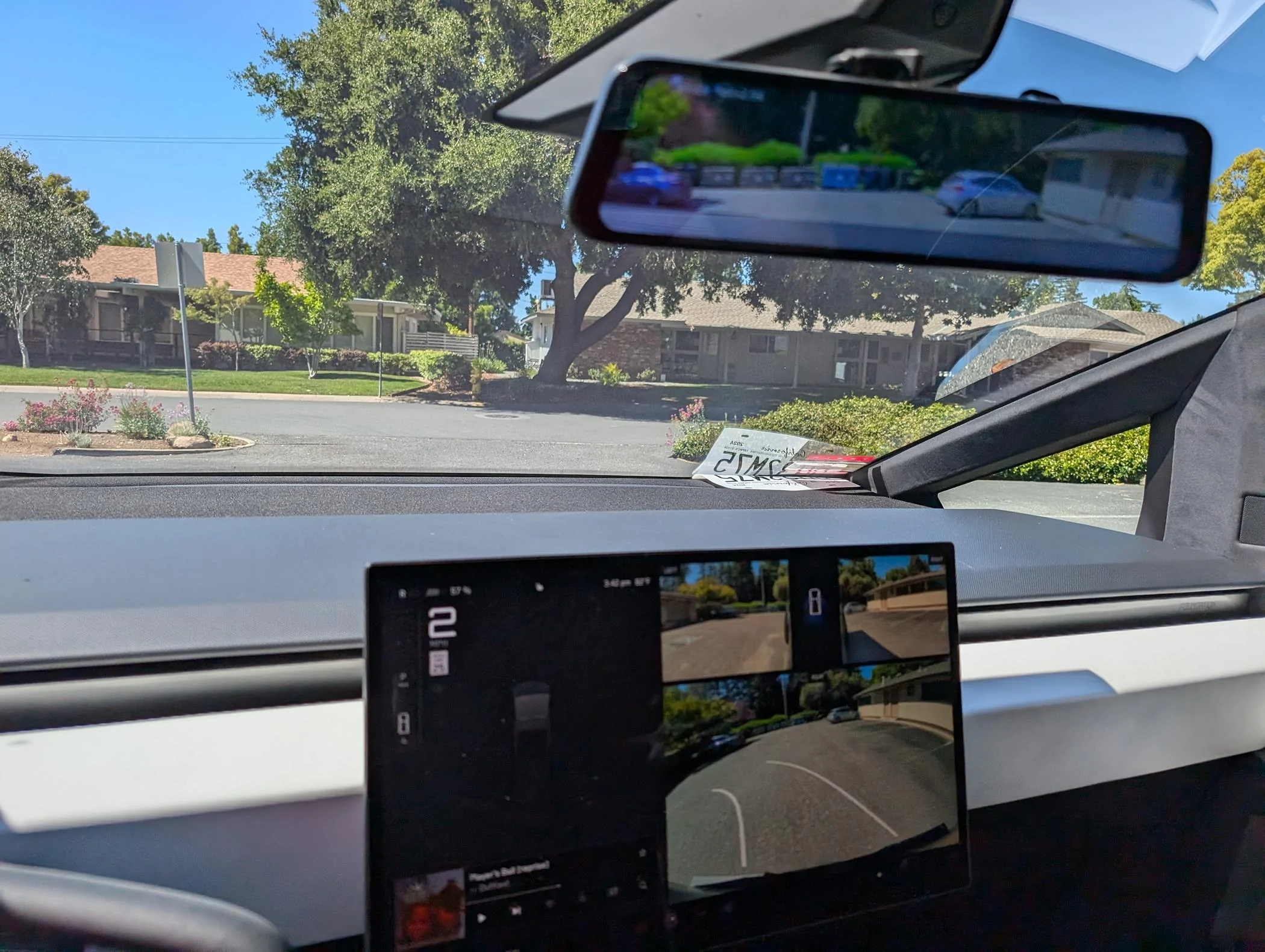
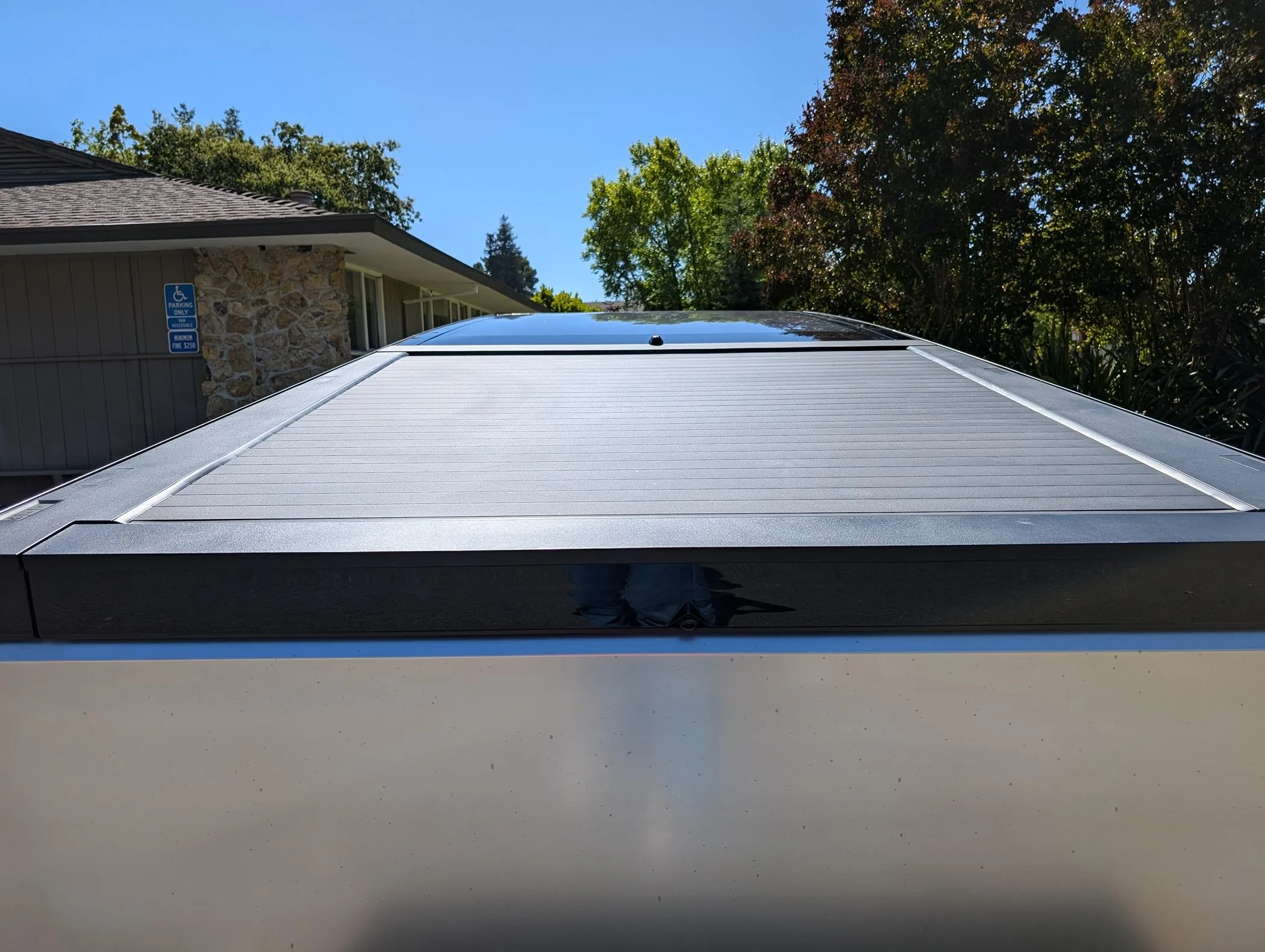
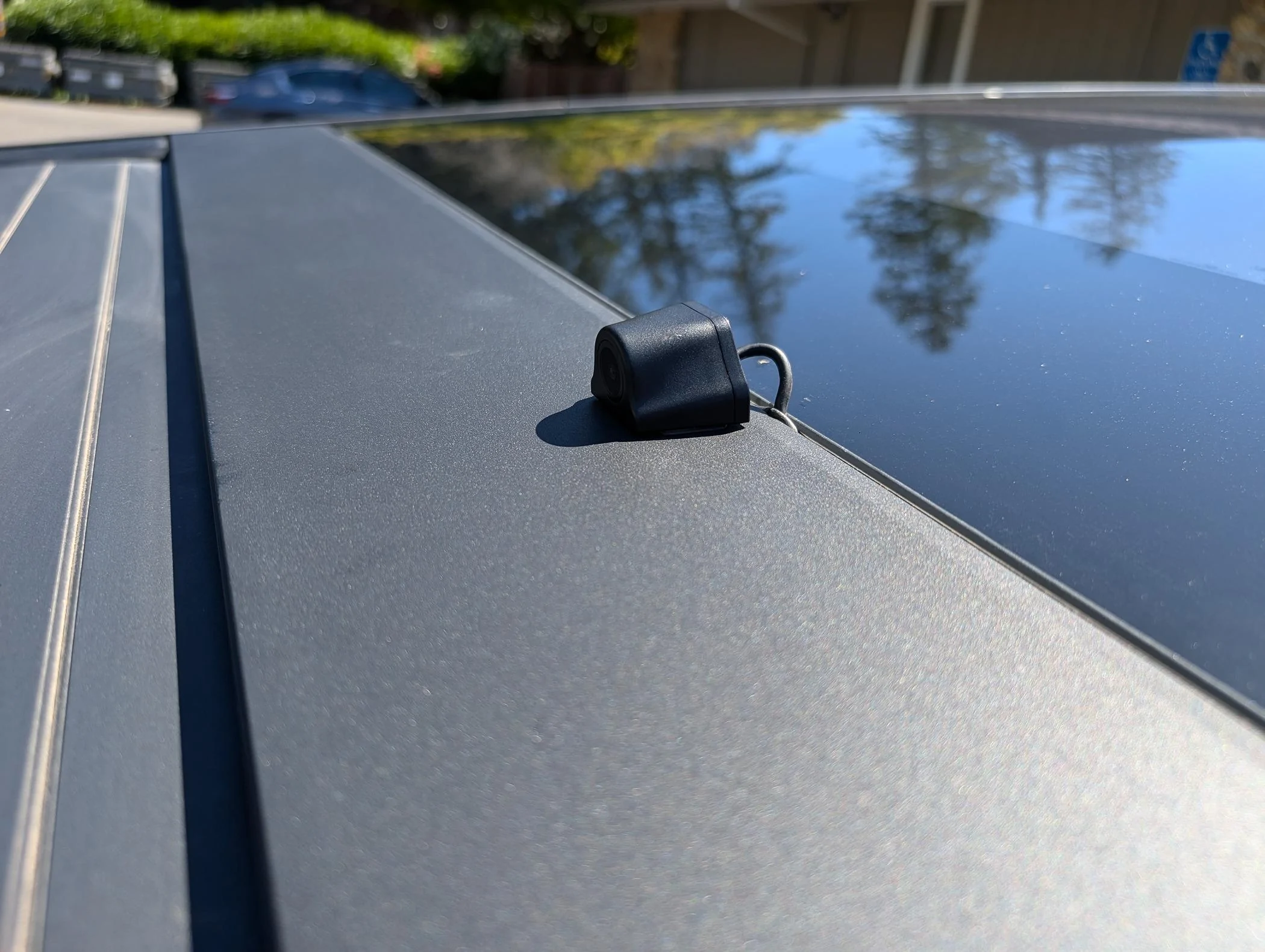
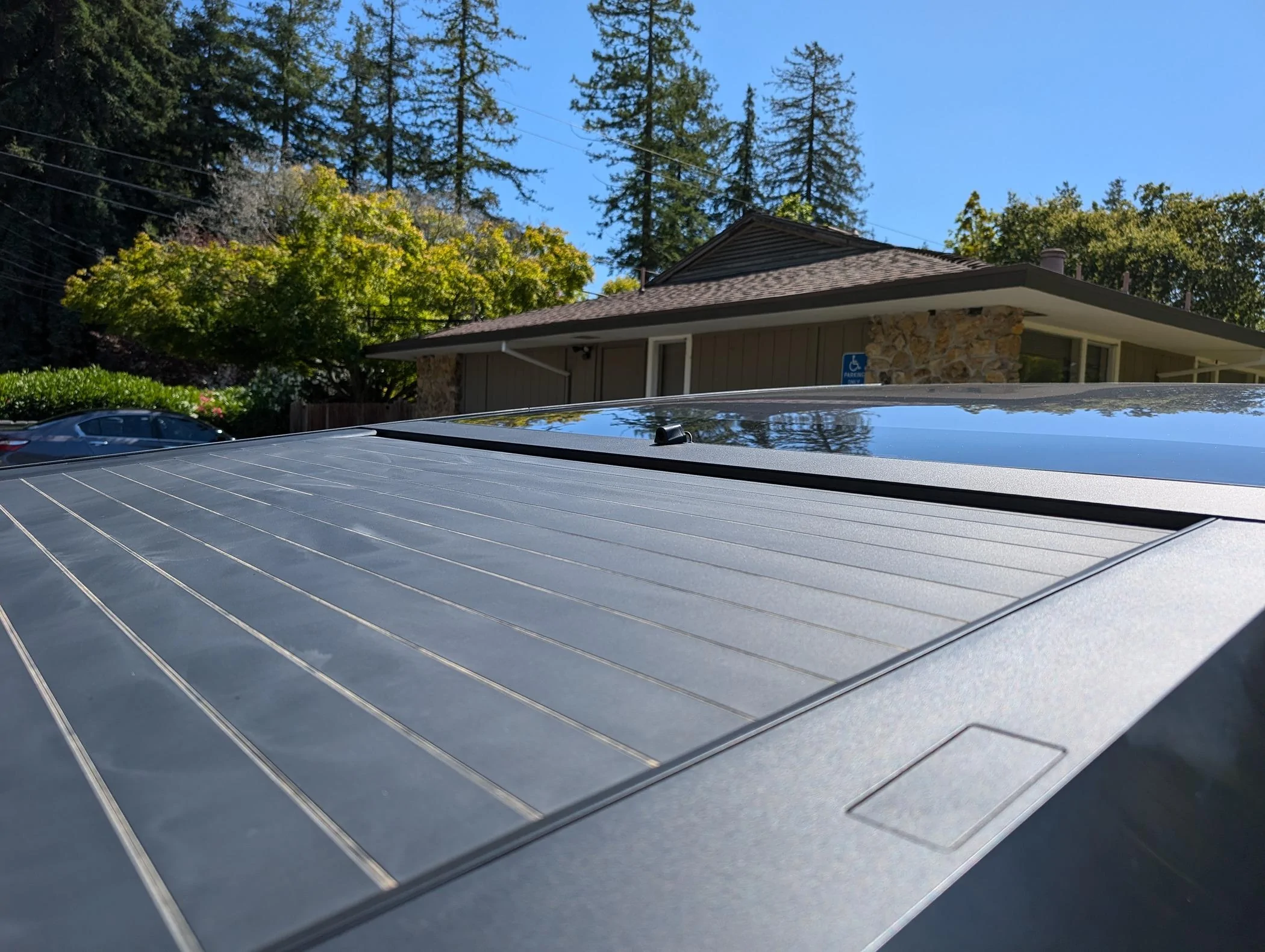
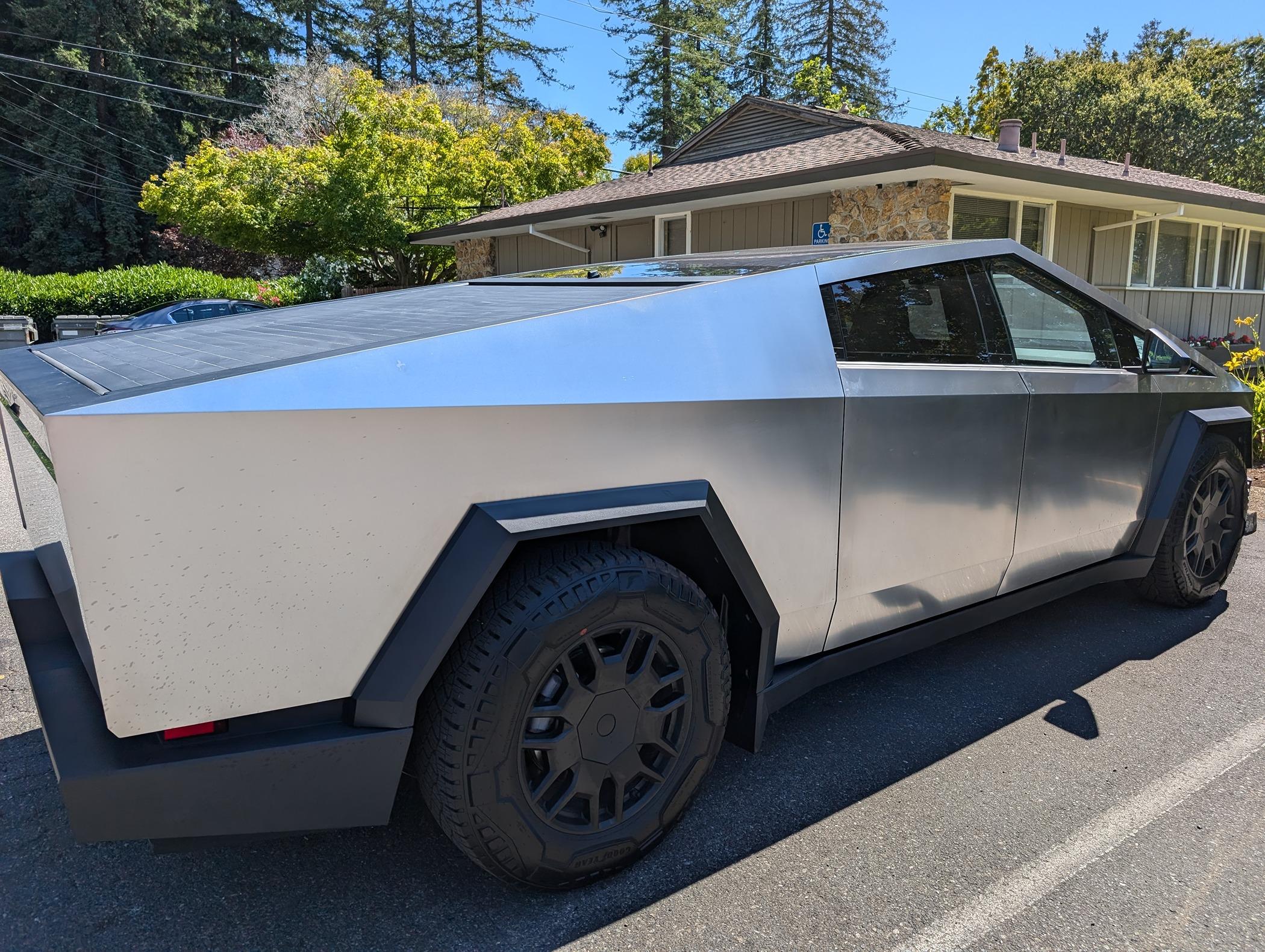
Mounted the camera higher and the view is very helpful. This view is ideal for seeing motorcycles splitting lanes (California) and seeing them better now to safely move over to give them more room. This rear view camera/display functionality should be from factory. My Corvette has it on the mid to higher specs. I spent a lot of time hiding all the wiring. I used a 90 degree USB-C and double stick 3M tape to mount the 12V adapter to Type-C adapter to the rear console right Type-C port. The only issue is that the USB port stays powered, so I need to remember to turn off/on the display. A future issue might be that the in-cabin camera might be partially obstructed by the display location. We shall see.

Tesla Cybertruck Digital Rear View Mirror Installed - WOLFBOX 12" Rear View Mirror Camera ... cheap and it works PXL_20240615_224232033
Tesla Cybertruck Digital Rear View Mirror Installed - WOLFBOX 12" Rear View Mirror Camera ... cheap and it works PXL_20240615_224147864
Tesla Cybertruck Digital Rear View Mirror Installed - WOLFBOX 12" Rear View Mirror Camera ... cheap and it works PXL_20240615_224128079
Tesla Cybertruck Digital Rear View Mirror Installed - WOLFBOX 12" Rear View Mirror Camera ... cheap and it works PXL_20240615_224123212
Tesla Cybertruck Digital Rear View Mirror Installed - WOLFBOX 12" Rear View Mirror Camera ... cheap and it works PXL_20240615_224119681
 

Crissa

Well-known member
First Name
Crissa
Joined
Jul 8, 2020
Threads
138
Messages
19,571
Reaction score
31,477
Location
Santa Cruz
Vehicles
2014 Zero S, 2013 Mazda 3
Country flag
Mounted the camera higher and the view is very helpful. This view is ideal for seeing motorcycles splitting lanes (California) and ...
PXL_20240615_224147864.webp
PXL_20240615_224128079.webp
Yeah, that's good thinking! You really need a narrower field to get that 'zoom' people were talking about... The wide field in the Tesla camera is great for backing up in a parking lot, but less great for checking your blindspot at speed.

-Crissa
 

FuryEV

Well-known member
Joined
Jun 15, 2024
Threads
44
Messages
242
Reaction score
281
Location
NC
Vehicles
Cybertruck AWD and Cybertruck Beast
Country flag
Mounted the camera higher and the view is very helpful. This view is ideal for seeing motorcycles splitting lanes (California) and seeing them better now to safely move over to give them more room. This rear view camera/display functionality should be from factory. My Corvette has it on the mid to higher specs. I spent a lot of time hiding all the wiring. I used a 90 degree USB-C and double stick 3M tape to mount the 12V adapter to Type-C adapter to the rear console right Type-C port. The only issue is that the USB port stays powered, so I need to remember to turn off/on the display. A future issue might be that the in-cabin camera might be partially obstructed by the display location. We shall see.

PXL_20240615_224232033.jpg
PXL_20240615_224147864.jpg
PXL_20240615_224128079.jpg
PXL_20240615_224123212.jpg
PXL_20240615_224119681.jpg
how did u hude the wire ? i done the same thing but u can see the wire going across the back of the truck and into the Rear pass Door .


Top