Sponsored

PowerShare Rolling Out! (Updated Images)

cyberoffroad

Well-known member
Joined
Dec 21, 2023
Threads
4
Messages
70
Reaction score
120
Location
Seattle
Vehicles
Cybertruck AWD, Toyota Tacoma
Country flag
You may need to manually switch off grid power since Powershare is only vehicle to house/ load, not vehicle to grid.
isn’t this the point of the gateway sitting between my house and the grid?
Sponsored


mongo

Well-known member
Joined
May 27, 2024
Threads
5
Messages
4,520
Reaction score
5,497
Location
SE Michigan
Vehicles
Cyberbeast
Country flag

SpykeDaddy

Well-known member
First Name
Michael
Joined
Jan 10, 2024
Threads
2
Messages
142
Reaction score
229
Location
Marine on St. Croix
Vehicles
2010 Roadster, 2018 Model S, 2024 CyberTruck
Country flag
Following this thread as I'm in the same bucket as some of you.

PowerShare Installed.
Universal Wall Connector installed.
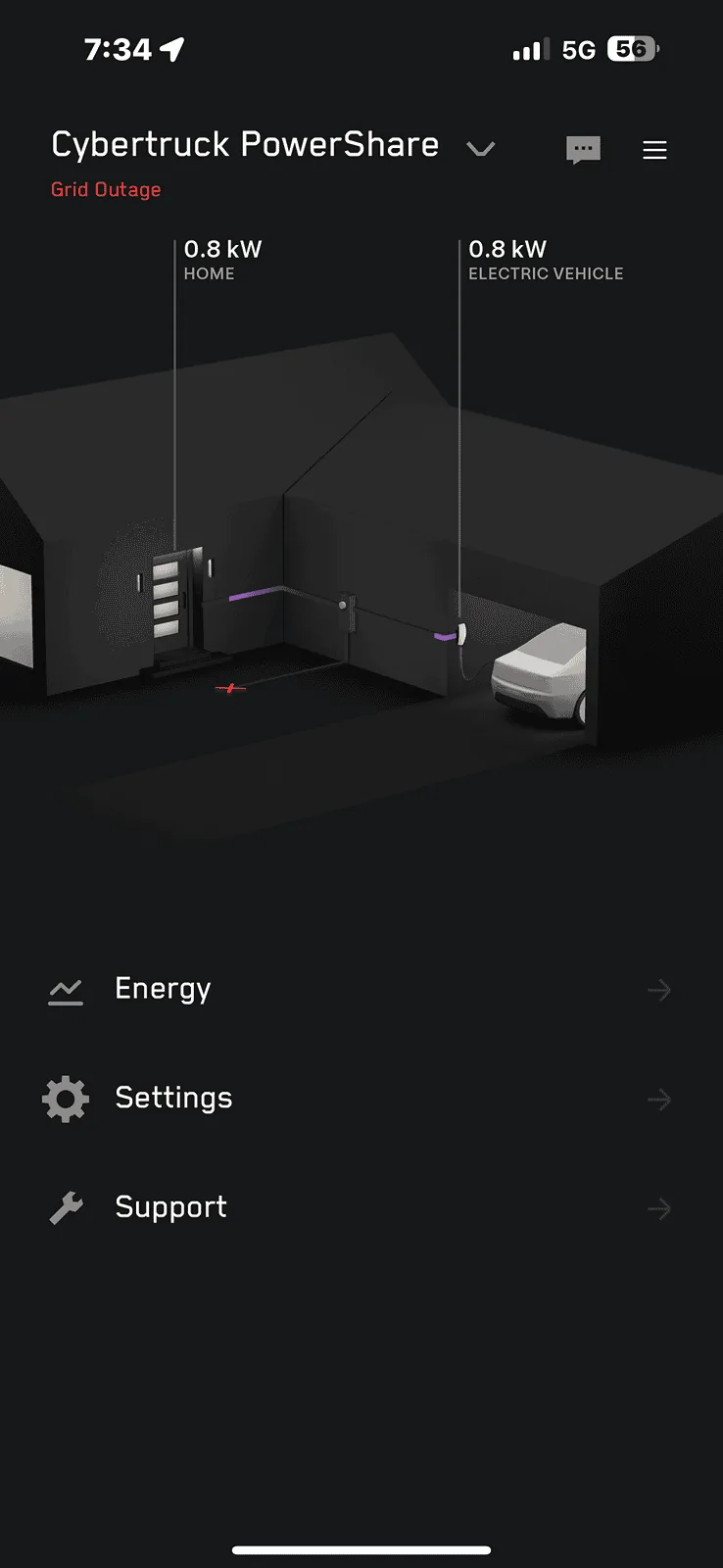
Both are in the mobile app (showing separately).
Power is showing as flowing through PowerShare.
Power is showing as flowing through Universal Wall Connector.

Only Universal Wall Connector shows Cybertruck plugged in.
Green charging icon shows in app with arrows pointing left / right. (!)

HOWEVER,
Have no option to "turn on PowerShare" in Cybertruck, nor is there a charging icon with double arrows.
There is no option in mobile app under Cybertruck controls to turn on PowerShare.

Tried chatting via support chat. Got disconnected twice with no help besides, "Call Vehicle Support".
Sent a service request via mobile app. Haven't had a response in three days.
Calling support number and have been endlessly waiting for an agent. Gave up because I ran out of time. Trying again today.

Ironically, we lost main power today for thirty minutes in my house. Go figure. Green icon in app with two arrows showed up ONLY after the power outage.

Still stuck. Sad that I have to endlessly search forums to figure this out versus simply talking to a Tesla person to get it fixed.

In my roadster days, they treated me like a king. I'm just a piece of annoying meat now. ;-)
 

Vesder21

Well-known member
First Name
Dave
Joined
Dec 23, 2023
Threads
8
Messages
112
Reaction score
60
Location
Ohio
Vehicles
Tesla
Country flag
I had the gateway installed at my house last week and my powershare (software) was finally enabled today.

I manually disconnected from the grid to test and it works well!

Tesla Cybertruck PowerShare Rolling Out! (Updated Images) IMG_1352
 

cyberHoward

Well-known member
Joined
Nov 29, 2019
Threads
18
Messages
284
Reaction score
213
Location
Northern Ohio
Vehicles
Cybertruck AWD Foundation
Country flag
Right, and I've read you may need to manually turn off the main breaker in the Gateway (or upstream) to allow the system to go into Powershare mode as there may not be a self test/ disconnect mode.
https://www.tesla.com/ownersmanual/cybertruck/en_us/GUID-E2615021-AB6F-4843-8747-C90D85D94DEA.html
I have all the right firmware and no control in my Cybertruck oe
I had the gateway installed at my house last week and my powershare (software) was finally enabled today.

I manually disconnected from the grid to test and it works well!

IMG_1352.webp
Did you have the control in you CT to switch it on? Can you take a picture of it? Does it show your wall connector as a separate product? Did you flip the main breaker in the Gateway behind the cover panel to simulate the grid was down? When you click on the Wall connector in that screen print, does it go to a graph showing data? What exact firmware is your Truck on?


txtravwill

Well-known member
First Name
Travis
Joined
Apr 25, 2024
Threads
7
Messages
511
Reaction score
611
Location
Marble Falls, TX
Vehicles
Tesla, BMW, Ford
Country flag
I thought folks getting PowerShare in app/truck right now have the new V3 Gateway with PowerShare. Those of us with a V2 or so gateway, power walls, and UWC, have to wait towards end of year software we were told right?
 

cyberHoward

Well-known member
Joined
Nov 29, 2019
Threads
18
Messages
284
Reaction score
213
Location
Northern Ohio
Vehicles
Cybertruck AWD Foundation
Country flag
I thought folks getting PowerShare in app/truck right now have the new V3 Gateway with PowerShare. Those of us with a V2 or so gateway, power walls, and UWC, have to wait towards end of year software we were told right?
I have the new V3 Gateway, but nothing listed on my CT contols for power share.
 
OP
OP
Derektsla

Derektsla

Well-known member
First Name
Derek
Joined
Dec 13, 2023
Threads
21
Messages
375
Reaction score
895
Location
Greenville, SC
Vehicles
Cybertruck AWD, Model X
Occupation
Entrepreneur
Country flag
What version is your gateway software? I have 2024.14.11, power wall, solar and a v3 charger, I have Charge on Solar, yet I still don't have Powershare. Just wondering what versions of software the devices need to make this happen.

Do you have a universal wall connector or just a regular v3 wall connector?
I think I have the universal connector because it has NCS and (I think) J1772 adapter built in. I think gateway has 2024.14.11, but it’s not showing in the app now for some reason. Charger shows 24.12.51.

I don’t know if having the right software versions makes it work. It seems it may have to be “activated” somehow on Tesla’s end. I have no idea how that works, but it just started working about two weeks after installed without any new updates.
 

Vesder21

Well-known member
First Name
Dave
Joined
Dec 23, 2023
Threads
8
Messages
112
Reaction score
60
Location
Ohio
Vehicles
Tesla
Country flag
I have all the right firmware and no control in my Cybertruck oe

Did you have the control in you CT to switch it on? Can you take a picture of it? Does it show your wall connector as a separate product? Did you flip the main breaker in the Gateway behind the cover panel to simulate the grid was down? When you click on the Wall connector in that screen print, does it go to a graph showing data? What exact firmware is your Truck on?
I had all the updates and when I went to the controls for the truck in the app the option was not available.

Then, yesterday, when I launch the app, it showed the tutorial. After you go through tutorial, it takes you to the Controls and the third option is there and enabled.
 

cyberHoward

Well-known member
Joined
Nov 29, 2019
Threads
18
Messages
284
Reaction score
213
Location
Northern Ohio
Vehicles
Cybertruck AWD Foundation
Country flag
I believe I have all the same versions of firmware, if you don't mind checking at some point and compare mine to yours that would be great. That is interesting about the flag and tutorial. It sounds like your Gateway may have gotten an update. My gateway firmware still does not show up in my app, but when I called the energy call center they told me my current firmware. It is definitely online and they see everything. Did you have your truck plugged in at the time?


Cybertruck updated to 2024.14.11
App version: 4.33.5
Powerwall Gateway version: 23.44.906
Universal Wall Connector (Gen 3) version: 24.12.51


Vesder21

Well-known member
First Name
Dave
Joined
Dec 23, 2023
Threads
8
Messages
112
Reaction score
60
Location
Ohio
Vehicles
Tesla
Country flag
I believe I have all the same versions of firmware, if you don't mind checking at some point and compare mine to yours that would be great. That is interesting about the flag and tutorial. It sounds like your Gateway may have gotten an update. My gateway firmware still does not show up in my app, but when I called the energy call center they told me my current firmware. It is definitely online and they see everything. Did you have your truck plugged in at the time?


Cybertruck updated to 2024.14.11
App version: 4.33.5
Powerwall Gateway version: 23.44.906
Universal Wall Connector (Gen 3) version: 24.12.51
The same for the truck and app:
2024.14.11
4.33.5

Then my gateway software version is not showing.

Tesla Cybertruck PowerShare Rolling Out! (Updated Images) IMG_1370
 

Travsky

Member
First Name
Leon
Joined
Apr 3, 2024
Threads
1
Messages
18
Reaction score
38
Location
Chapel Hill, North Carolina
Vehicles
Model 3, Model Y, CyberTruck
Occupation
Publishing
Country flag
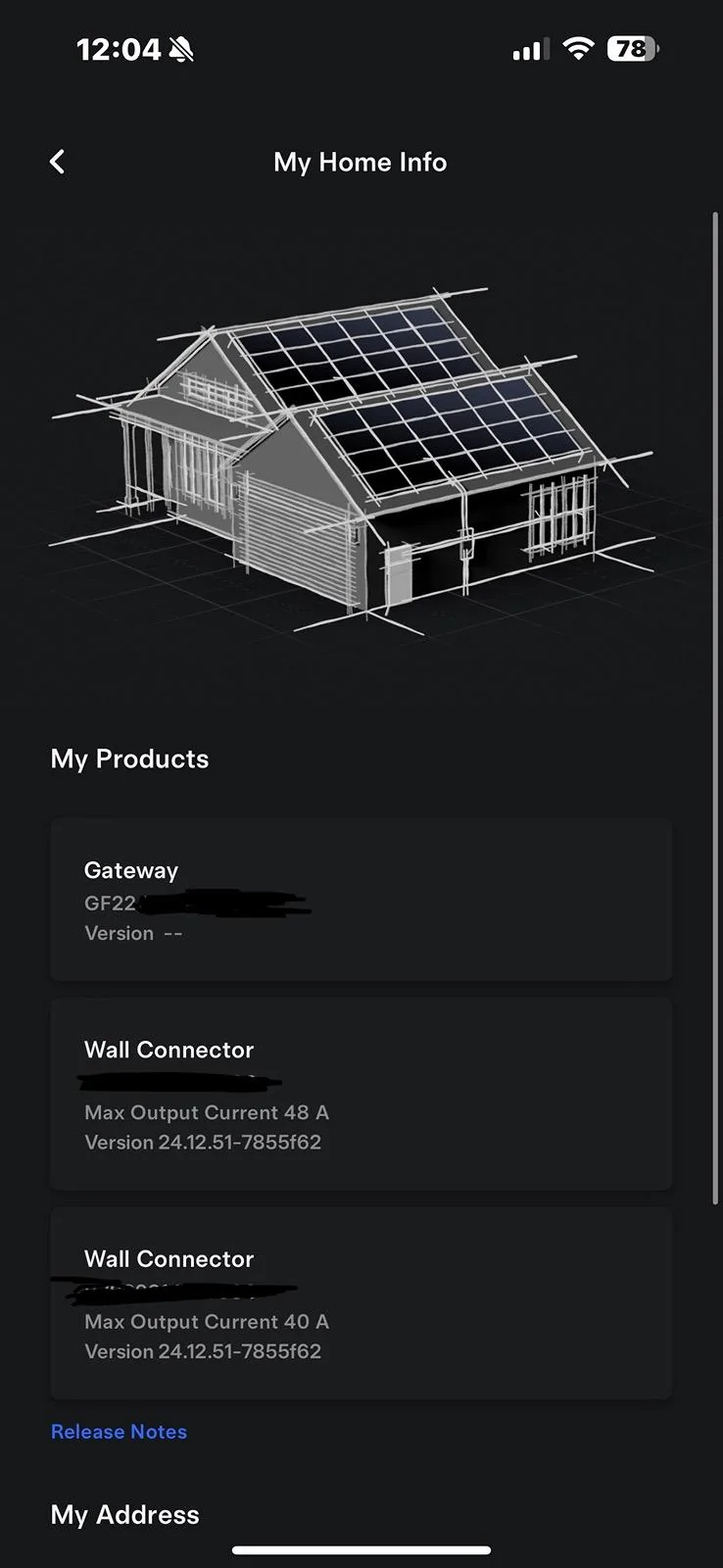
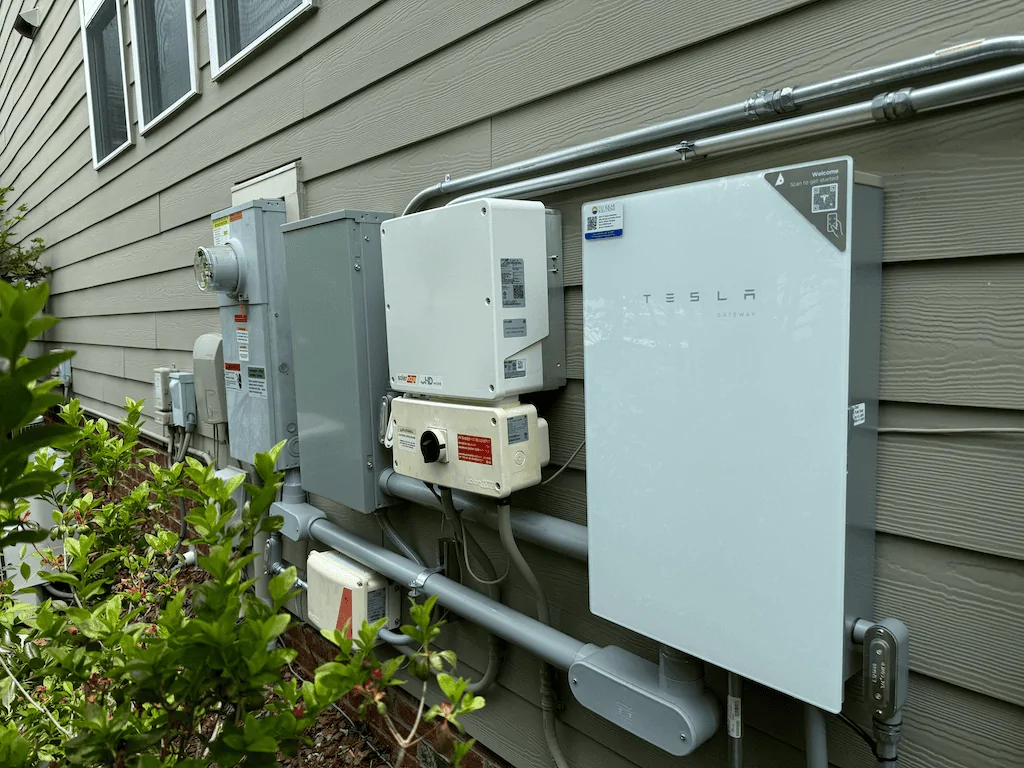
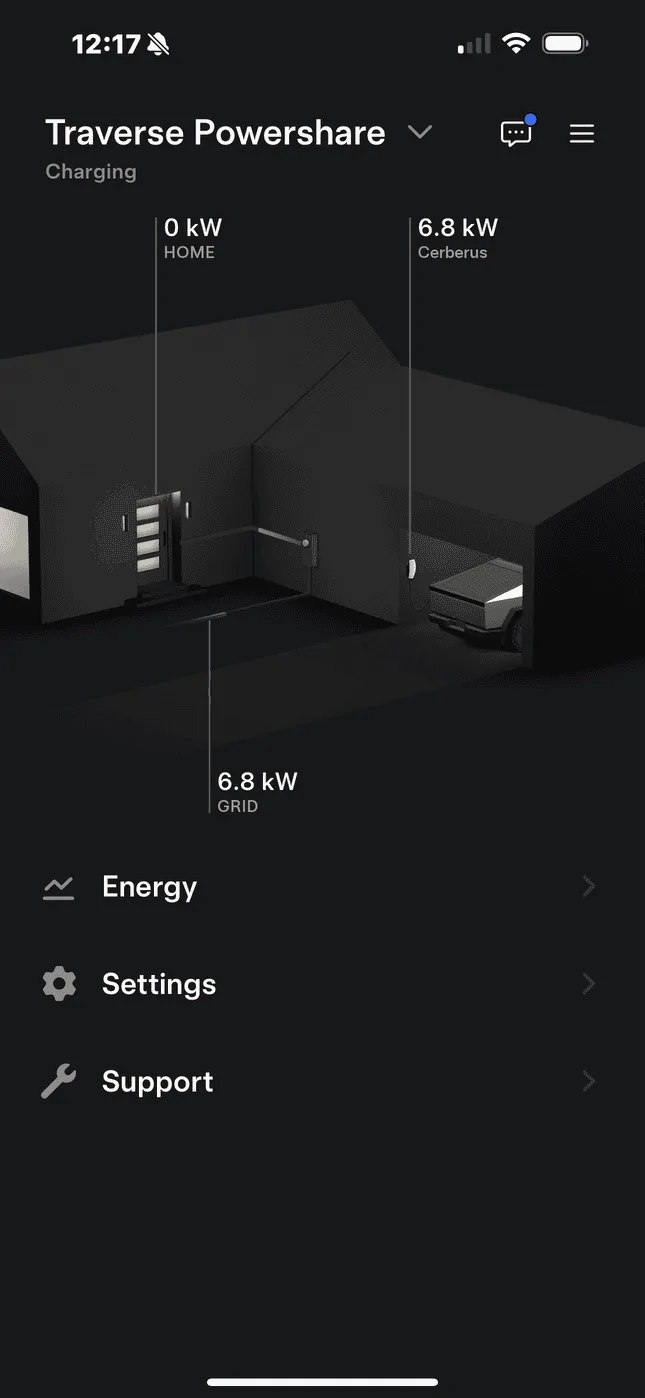
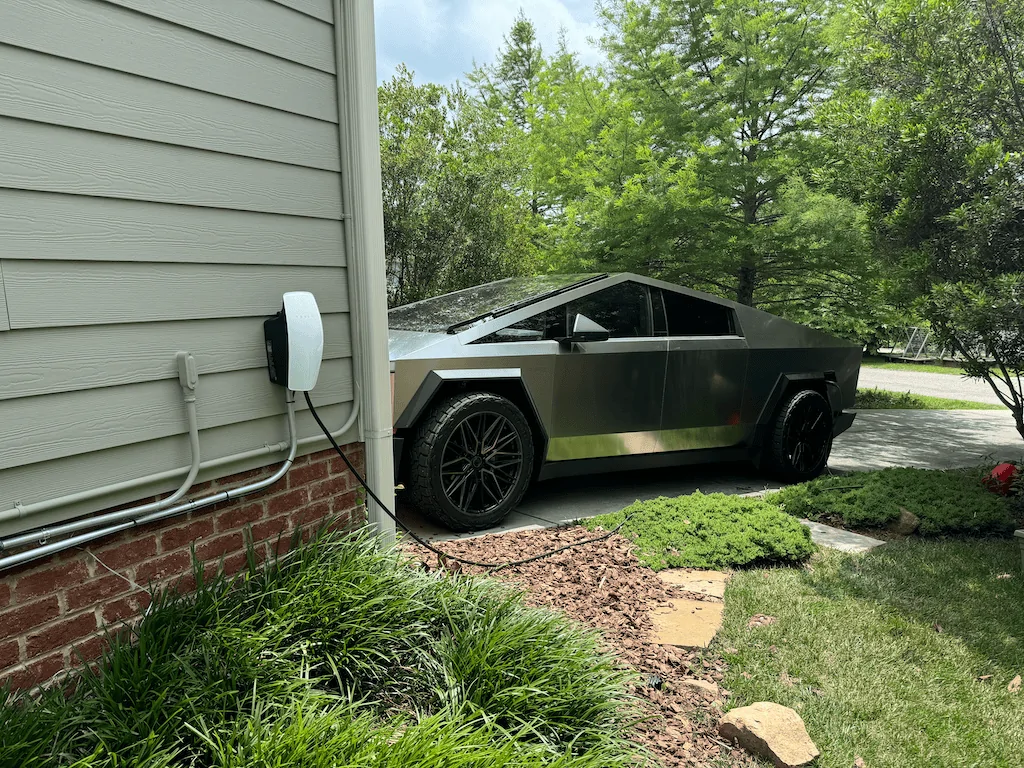
I had my system installed by YES Solar a few weeks back here in Chapel Hill, NC. Has been working great but there is no off grid option just yet. I was told it will be coming in an update soon. Install took about two days and then was turned on a few days after that.

Tesla Cybertruck PowerShare Rolling Out! (Updated Images) Install Powershar


Tesla Cybertruck PowerShare Rolling Out! (Updated Images) Powershare A


Tesla Cybertruck PowerShare Rolling Out! (Updated Images) Truck charging
 

cyberHoward

Well-known member
Joined
Nov 29, 2019
Threads
18
Messages
284
Reaction score
213
Location
Northern Ohio
Vehicles
Cybertruck AWD Foundation
Country flag
I believe I have all the same versions of firmware, if you don't mind checking at some point and compare mine to yours that would be great. That is interesting about the flag and tutorial. It sounds like your Gateway may have gotten an update. My gateway firmware still does not show up in my app, but when I called the energy call center they told me my current firmware. It is definitely online and they see everything. Did you have your truck plugged in at the time?


Cybertruck updated to 2024.14.11
App version: 4.33.5
Powerwall Gateway version: 23.44.906
Universal Wall Connector (Gen 3) version: 24.12.51
Thanks again for looking into all of the details. Because you verified I had all of the current firmware, I called the Energy Tesla support. The call center now has an option for Powershare which they did not before. It took more than 30 mins on hold to finally talk to someone. I had a couple of issues that we identified. First, she said the firmware update for my Gateway that my installers did, failed. The installer did not see that nor did the person I asked at Tesla support 2 days ago. She retriggered the firmware while I was on the phone and verified that it was successful despite saying that it might take 2 hours. Even after rebooting my CT and plugging it in and out of the Wall Connector nothing changed. Her supervisor asked if I could reload the Tesla app on my phone. I did that yesterday based on an email chain I have going with Tesla support in addition to my calls. The Energy Tesla support person on the phone finally put me on hold for a little while and came back to tell me that my VIN was not on the list to get the software option on my CyberTruck for Powershare and she had to escalate the request. I now have a ticket pending to manually add my VIN and trigger it. It almost sounds like yours got on the list as it should and they just took a few weeks to trigger it. Hopefully this helps others and I will see it on my screen in the next 5-7 days they said it would take to get a response.
 

randy7fx

Well-known member
First Name
Randy
Joined
Apr 1, 2024
Threads
2
Messages
49
Reaction score
52
Location
Charlotte, NC
Vehicles
Stealth Performance Model 3, Performance Model Y
Country flag
Thanks again for looking into all of the details. Because you verified I had all of the current firmware, I called the Energy Tesla support. The call center now has an option for Powershare which they did not before. It took more than 30 mins on hold to finally talk to someone. I had a couple of issues that we identified. First, she said the firmware update for my Gateway that my installers did, failed. The installer did not see that nor did the person I asked at Tesla support 2 days ago. She retriggered the firmware while I was on the phone and verified that it was successful despite saying that it might take 2 hours. Even after rebooting my CT and plugging it in and out of the Wall Connector nothing changed. Her supervisor asked if I could reload the Tesla app on my phone. I did that yesterday based on an email chain I have going with Tesla support in addition to my calls. The Energy Tesla support person on the phone finally put me on hold for a little while and came back to tell me that my VIN was not on the list to get the software option on my CyberTruck for Powershare and she had to escalate the request. I now have a ticket pending to manually add my VIN and trigger it. It almost sounds like yours got on the list as it should and they just took a few weeks to trigger it. Hopefully this helps others and I will see it on my screen in the next 5-7 days they said it would take to get a response.
Thanks for all of the info. Any update on if this worked for you?
 

cyberHoward

Well-known member
Joined
Nov 29, 2019
Threads
18
Messages
284
Reaction score
213
Location
Northern Ohio
Vehicles
Cybertruck AWD Foundation
Country flag
Thanks for all of the info. Any update on if this worked for you?
I am still waiting for a response and/or the push. As soon as I hear back, I will post. I thought they would have added me to the list by now, but I guess I need to wait the 5-7 days.
Sponsored


Top